Museum Ticket Tracker & Auto-Fill
A two-part automation system that watches a major museum's official ticketing platform for availability and helps a user complete a booking in seconds — built by reverse-engineering an undocumented single-page app, with a deliberate human-in-the-loop boundary at captcha and payment.
TL;DR
Results
<10s
Seconds to checkout
From alert to prefilled form
100%
24/7 monitoring
Containerized, hands-off
Always
Human-in-the-loop
Captcha & payment by design
0 docs
Tech discovered
Fully reverse-engineered
The Problem
Tickets vanish in seconds. The site doesn't help.
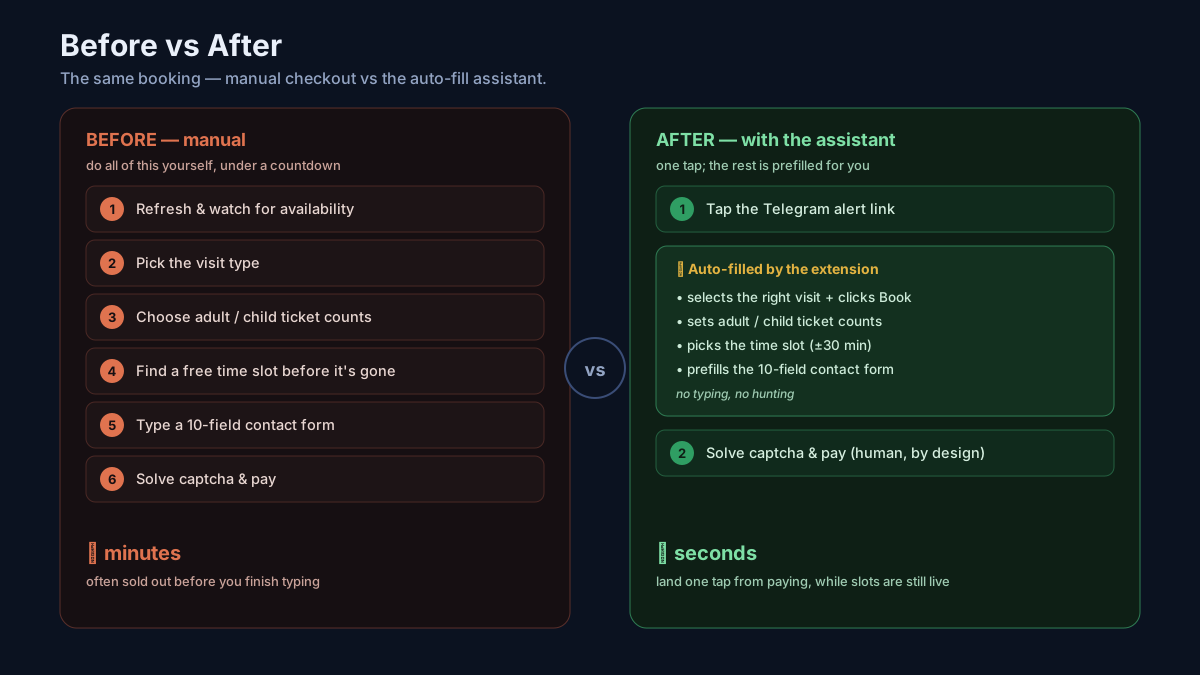
The platform releases inventory in unpredictable bursts, and popular slots are gone within seconds. There are no notifications — you have to sit and refresh the site manually. And when a slot does appear, you face a long checkout: pick visit → tickets → time slot → a 10-field contact form → captcha → payment, all under a countdown timer, in the site's default (non-English) language.
Solution Overview
Two cooperating parts, one seamless flow
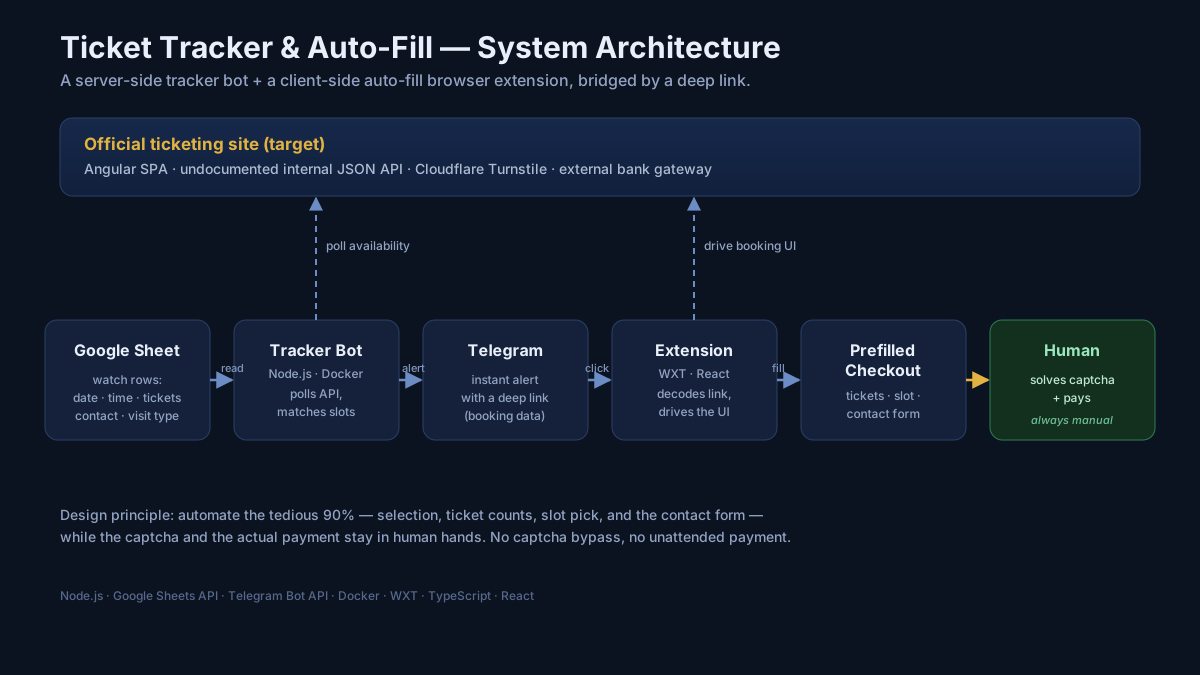
1. The tracker bot (server-side).A containerized Node.js service reads a Google Sheet of "watch" rows (date, time, ticket counts, contact details, visit type), polls the site's internal JSON API on an interval, and the moment a matching slot is available, sends a formatted Telegram alert containing a deep link.
2. The auto-fill extension (client-side). A WXT/React browser extension reads that deep link, then drives the real booking UI like a human would — selecting the visit, ticket quantities, time slot, and prefilling the entire checkout form — stopping at the captcha and payment for the person to finish.
Booking Flow
From alert to prefilled checkout in one tap
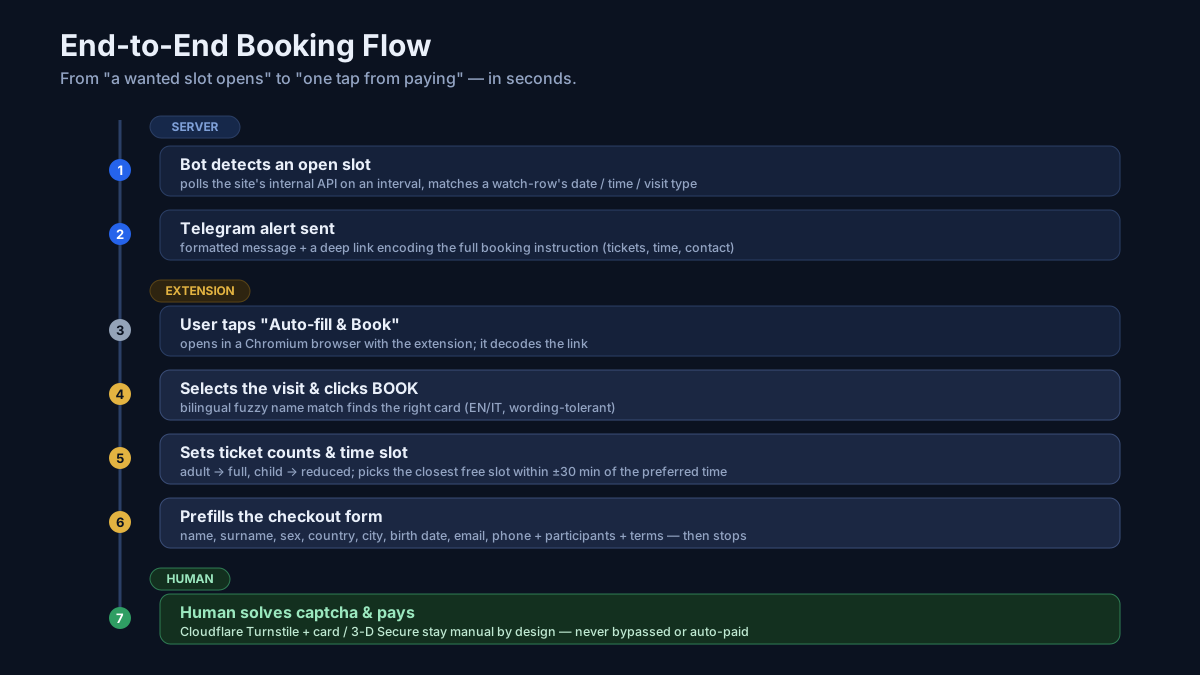
The Telegram alert encodes the entire booking instruction — which visit, how many adult/child tickets, preferred time, contact details — into a compact base64 query parameter. Tapping the link opens the booking site with the extension already primed. The extension then navigates each step of the SPA, filling in the contact form and selecting the right slot, stopping just before the captcha.
Browser Extension
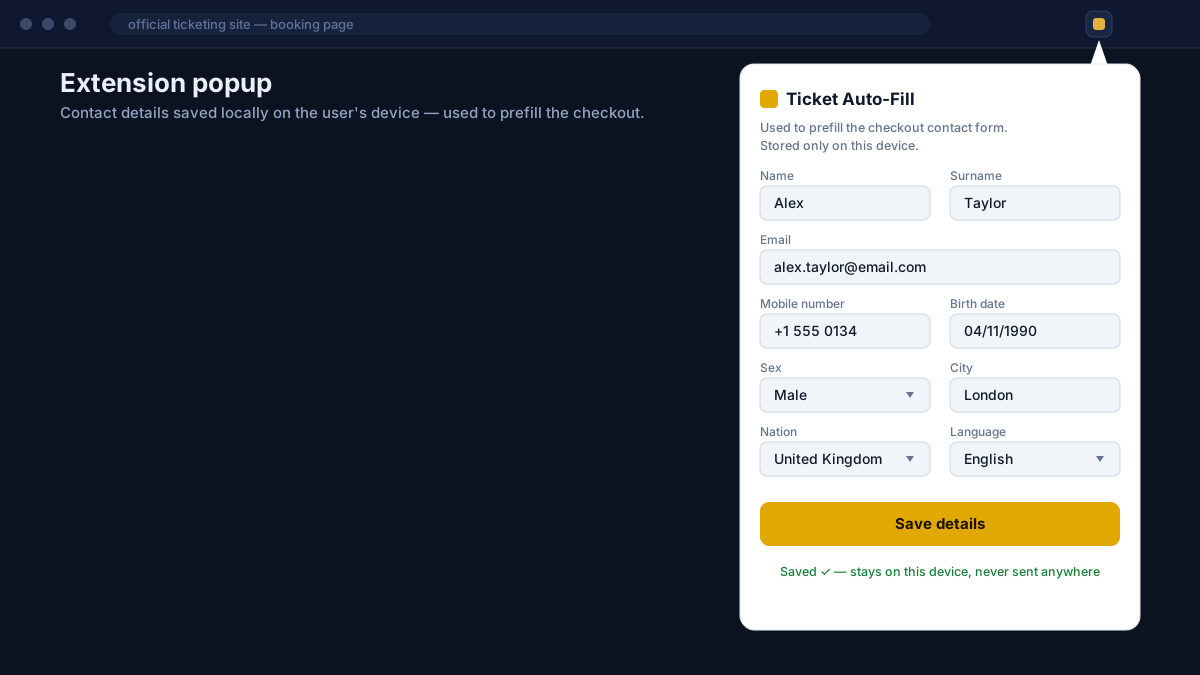
A WXT/React popup with status and controls
Driving an Angular SPA from a content script means there are no page reloads — navigation happens within the app. The extension patches history.pushState /replaceState and watches popstateevents to fire the right automation step on each route change. Angular's reactive forms require triggering native input events, not just setting values, to register the change — custom widgets like the bespoke dropdown, date picker, and Material checkboxes each needed their own driver.
Technical Highlights
Five interesting engineering problems
Reverse-engineering an undocumented SPA
The site is an Angular Material SPA with no public API. I mapped its routes from the main bundle, traced the lazy-loaded chunks for the visit/checkout pages, and recovered the internal API surface: a search endpoint, a time-availability endpoint, a ticket-types endpoint, and a reservation endpoint.
The session-scoped ID trap
My first design passed the visit's numeric `id` from the bot to the extension. It kept failing. The root cause: that ID is regenerated per browser session — the value the bot sees is meaningless in the clicker's browser. The fix was to match the visit by its name instead.
Bilingual, fuzzy name matching
The displayed card name doesn't equal the API name (e.g., "Admission Ticket" shows as "Entrance Tickets"), and the page can render in a second language. I built a tolerant matcher: tokenize → de-pluralize → map cross-language synonyms → score by keyword overlap. It resolves the right card across wording and language differences, shared by both the bot and the extension.
Driving an Angular SPA from a content script
Clicking "Proceed" navigates within the SPA — no page reload — so a content script that runs once never sees the checkout page. I added a navigation watcher (patched history.pushState/replaceState + popstate/hashchange + a poll) so the right automation step fires on each in-app route change.
Captcha & payment boundary — by design
Checkout is guarded by Cloudflare Turnstile, and payment happens on an external bank gateway with 3-D Secure. These are exactly the controls meant to keep a human in the loop — so the extension stops at the prefilled checkout. It never solves or fakes the captcha, and never auto-pays.
Tech Stack
Two codebases, one shared foundation
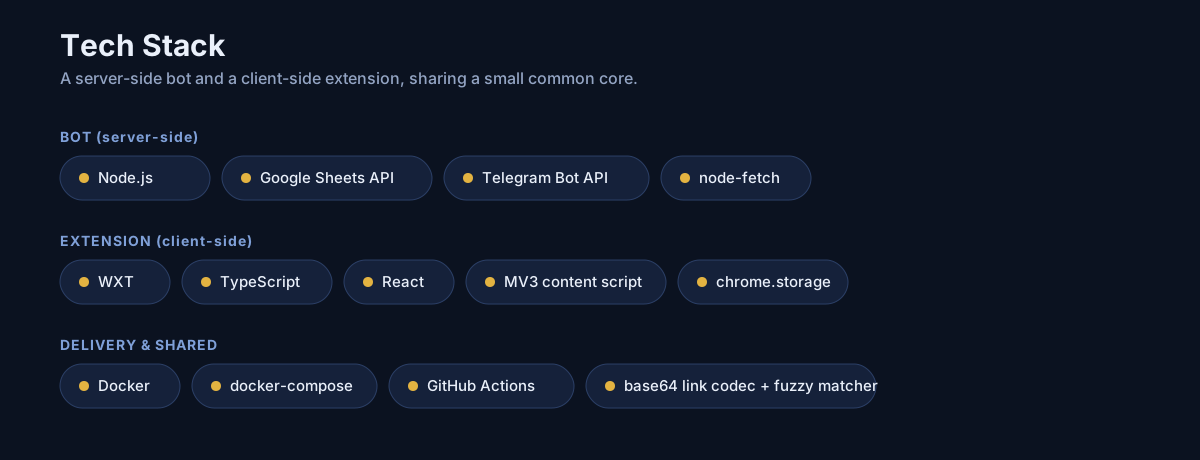
Bot (server)
- Node.js (ESM)
- Google Sheets API
- Telegram Bot API
- node-fetch + cookie jar
- Docker / docker-compose
- GitHub Actions
Extension (client)
- WXT framework
- TypeScript
- React (popup UI)
- MV3 content script + background
- chrome.storage (session + local)
Need something similar?
We specialize in automation, reverse-engineering, and building robust tools around APIs that were never meant to be used externally.
Talk to us about your project